 how-to
Outdoor Smart Home Automation Installation Guide (2026)
Table of Contents
- Start With a Plan: Mapping Your Outdoor Smart Home Zones
- Outdoor Wi-Fi Coverage: Building a Network That Reaches the Patio
- Weatherproof Smart Home Devices: IP Ratings, Enclosures, and Heat
- Outdoor Electrical Safety: GFCI Protection and Code Basics
- Outdoor Smart Lighting: Switches, Schedules, and Scenes
- Step-by-Step Installation: Pairing Devices and Building Routines
- Your Smart Home Installation Checklist: Before, During, and After
- Seasonal Maintenance and Long-Term Reliability
- Frequently Asked Questions
Last Updated: October 18, 2026
Start With a Plan: Mapping Your Outdoor Smart Home Zones
An outdoor smart home works best when you plan it in zones, not as one big project. At allvalley, we've spent 26 years helping homeowners turn plain patios into places people actually use, and the pattern is always the same: the yards that work are the ones mapped out before anything gets mounted.
Here's the simple way to do it. Walk your yard and sketch four zones:
- Entertainment zone: patio, BBQ island, fireplace, seating
- Relaxation zone: hot tub or spa, loungers, shade
- Entry zone: gates, driveway, side yard
- Perimeter zone: fences, back corners, dark spots
Then mark where you need light, where you need eyes (cameras), and where you need sound or control. The Consumer guide to home automation basics is a solid starting point for understanding what each device type actually does.
Outdoor Wi-Fi Coverage: Building a Network That Reaches the Patio
Outdoor Wi-Fi coverage fails for one reason: walls. Your router was never built to push signal through stucco, block, and glass slider doors, and the drop-off is steeper than most people expect. A signal that reads strong in the kitchen can be unusable at the far end of the patio.
Start with a signal survey, not a purchase. Walk your yard with your phone and a Wi-Fi analyzer app, and note signal strength in each zone you mapped. As a rough guide, most devices need a usable signal (roughly -67 dBm or better) to stay reliably connected; below about -70 dBm you'll see dropouts, and below -75 dBm most cameras and sensors will struggle. Test at the height where devices will actually mount, under an eave, on a fence post, not at eye level in the open.
Choose your backhaul before your access point. The single biggest reliability decision is how the outdoor access point talks back to your network:
- Wired Ethernet is the gold standard. Run Cat6 from the router or a switch to the outdoor AP. It's the most work up front and the least trouble later.
- Power over Ethernet (PoE) carries both data and power on one cable, so a single run feeds an outdoor AP or PoE camera without a separate power outlet. This is the cleanest option for cameras and APs mounted far from an outlet.
- Wireless mesh is the easiest to deploy but the most fragile. Each wireless hop halves throughput and adds latency, and outdoor nodes placed too far apart will backhaul over a weak link. Use wireless mesh only where wiring isn't practical, and keep nodes within good signal of each other.
Place the outdoor AP under cover, not in the open. Mount it under a patio cover or eave where it's shielded from direct sun and rain, and aim it toward the zones with the most devices. An outdoor-rated AP is built for damp and temperature swings, but shade still extends its life.
Extend coverage in stages. Add one outdoor AP near the back wall of the house first, re-test each zone, and add a second node only where the survey still shows weak signal. Adding nodes before testing is how people end up with an expensive mesh that still drops the patio camera.
Plan for the devices, not just the phone. Phones tolerate weak signal better than cameras and sensors. A camera streaming 2K video needs a steadier link than a phone loading a web page, so test with the actual device type you plan to install, or leave headroom in your signal budget.
A quick coverage checklist:
- Signal surveyed in every zone at mounting height
- Backhaul type chosen (Ethernet, PoE, or wireless mesh)
- Outdoor AP mounted under cover
- Each zone re-tested after adding a node
- Camera and sensor signal tested separately from phone signal
- Cable runs labeled by zone
Weatherproof Smart Home Devices: IP Ratings, Enclosures, and Heat
Weatherproof smart home devices are rated by IP code, and that rating tells you exactly what a device can survive. The first digit covers dust, the second covers water. For most outdoor use, look for IP65 or higher.
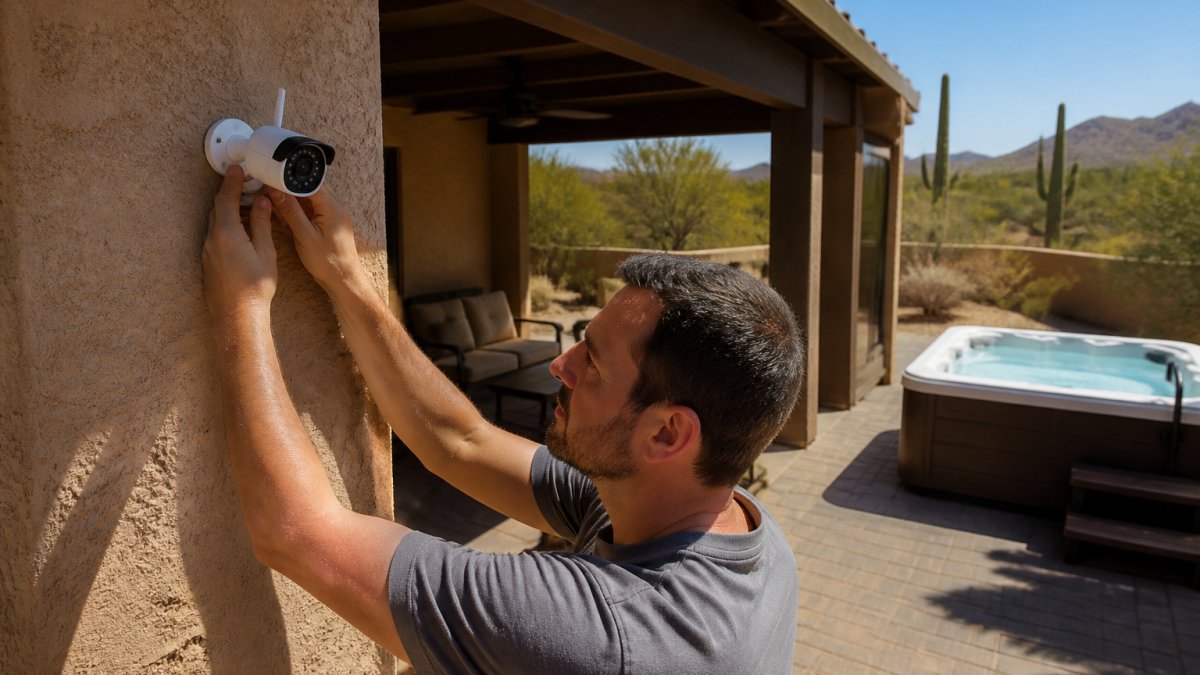
Heat is the part most guides skip. In desert climates, a device in direct sun can run far hotter than the air around it. Mount cameras and sensors under eaves or shade structures. Choose light-colored housings. Check the manufacturer's operating temperature range before you buy.
Outdoor Electrical Safety: GFCI Protection and Code Basics
Outdoor electrical work is where DIY goes wrong fastest, and it's also where most smart-home guides go quiet. The National Electrical Code (NEC), published by the National Fire Protection Association (NFPA), sets the baseline that local inspectors enforce. Two rules matter most for smart outdoor gear.
GFCI protection is mandatory for outdoor receptacles. A ground-fault circuit interrupter monitors current on the hot and neutral legs and trips in a fraction of a second when current leaks to ground, the exact failure mode that happens when water gets into a connection.
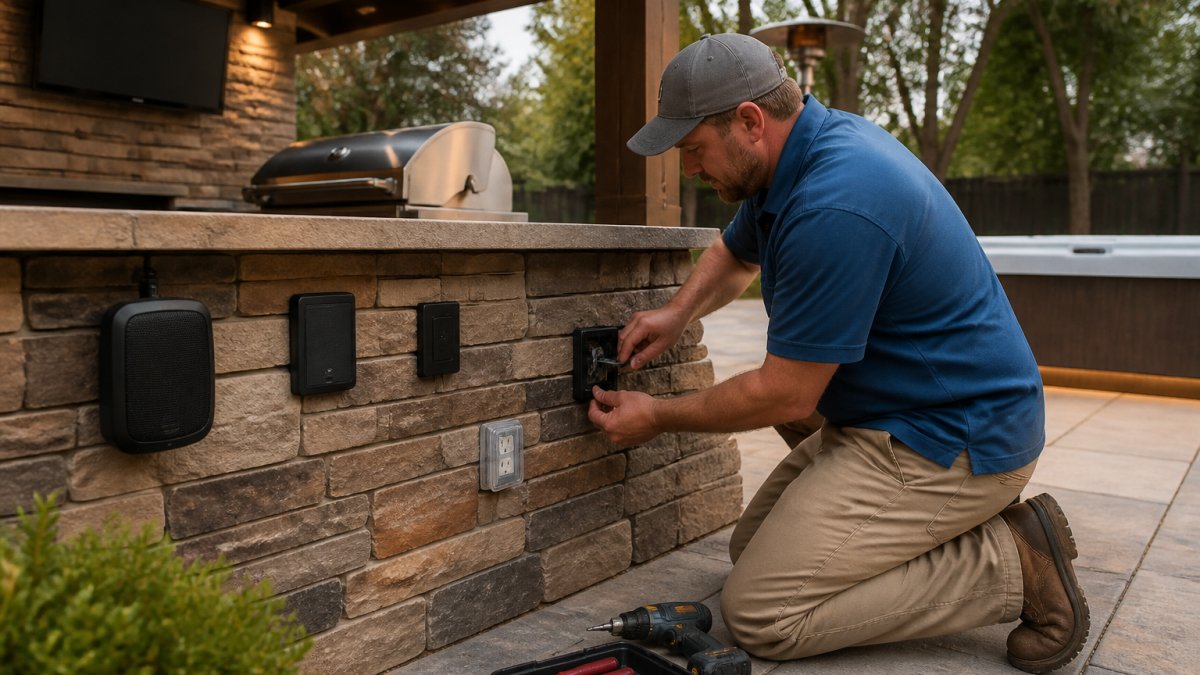
Use outdoor-rated boxes and while-in-use covers. An ordinary indoor box will let water in. Look for boxes and covers marked for wet or damp locations, and use a while-in-use cover that lets a cord stay plugged in with the lid closed.
Know the low-voltage boundary. Much outdoor smart gear, landscape lighting, some cameras, sensors, runs on low voltage (commonly 12V or 24V) from a transformer or PoE injector.
When to hire a licensed electrician. Hire one for new circuits, panel or breaker changes, anything inside the service panel, and any wiring you can't verify is de-energized. A common pattern is to have an electrician install the outdoor circuit and GFCI protection, then handle the low-voltage device mounting and pairing yourself.
Check permits before you dig or wire. Permit rules vary by jurisdiction; call your local building department before adding circuits or trenching for cable. If you're trenching, call 811 before you dig to have underground utility lines marked, it's free and it's the law in most states.
A quick pre-install check:
- Existing outdoor outlets are GFCI-protected and trip when tested
- Boxes and covers rated for wet/damp locations
- Connections above grade, out of pooling water
- Low-voltage vs. line-voltage work clearly separated
- Electrician scheduled for any new circuit or panel work
- Permit requirements confirmed with the local building department
- 811 called before any digging
Outdoor Smart Lighting: Switches, Schedules, and Scenes
Outdoor smart lighting is the upgrade people notice first. Smart switches control the whole circuit. Smart bulbs give you color and dimming per fixture. Use switches for path and security lights, bulbs for accent and patio string lights.
Build three scenes and you're done:
- Evening: warm dim light, path lights on
- Party: full brightness, accent lights up
- Away: randomized schedule to look occupied
Set schedules to follow sunset. Your system knows the time, so you don't have to reset it every season.
Step-by-Step Installation: Pairing Devices and Building Routines
Here's the order that saves headaches. Pair devices close to the hub first, then move them into place.
- Set up the hub and connect it to your network
- Update hub firmware before adding anything
- Pair each device one at a time and name it clearly
- Move outdoor devices to their mounts and confirm signal
- Build routines and test each one
- Set up remote access and check it from outside the house
For device compatibility, check that each product supports Matter or your hub's protocol before buying. The Connectivity Standards Alliance on Matter explains how Matter lets devices from different brands work together.
Your Smart Home Installation Checklist: Before, During, and After
A smart home installation checklist keeps the project on track. Use this one:
Before
- Zone map drawn
- Wi-Fi tested at each zone
- Device list with IP ratings confirmed
- Electrician scheduled for new circuits
- Permits checked
During
- Hub updated and online
- Devices paired and named
- Mounts shaded and sealed
- GFCI protection verified
After
- Every routine tested
- Remote access working
- Firmware set to auto-update
- Passwords changed from defaults
If wiring or spa integration feels like too much, allvalley offers professional delivery and installation, and our hot tubs arrive with free starter kits and chemicals so the water side is handled too.
Seasonal Maintenance and Long-Term Reliability
Long-term reliability comes down to a short seasonal routine. Twice a year, do this:
- Wipe camera lenses and check seals
- Clear debris from vents and housings
- Re-test GFCI outlets
- Confirm firmware updates installed
- Check battery levels in sensors and doorbells
Before summer heat, inspect mounts for cracking. Before winter, confirm drainage around outdoor outlets. A few minutes twice a year beats a failed device in the middle of a party.
Frequently Asked Questions
How do you install smart home devices outdoors?
Mount each device under cover where possible, then check its IP rating before you commit to a spot. Run power from a GFCI-protected outlet, pair the device on a 2.4 GHz network band, and confirm signal strength from the exact mounting location before drilling. For cameras and doorbells, seal cable entry points with exterior-grade silicone. Test the device through a full day of heat and sun before you finalize the schedule, since desert afternoons expose weak mounts and loose seals fast.
Do outdoor smart home devices need a separate Wi-Fi network?
Not always, but a dedicated network or guest SSID helps. Outdoor Wi-Fi coverage usually comes from a mesh node or access point near the yard, and putting outdoor devices on their own network keeps indoor traffic separate and makes troubleshooting simpler. If your router supports it, create a 2.4 GHz-only network for outdoor smart home devices, since many cameras and sensors do not connect reliably on 5 GHz at long range.
How do you protect outdoor smart devices from weather?
Match the IP rating to the exposure. Devices under a patio cover can use lower ratings, while anything in direct rain and dust needs a sealed enclosure rated for the job. Keep devices out of standing water and sprinkler spray, seal cable entries, and mount electronics in shade where summer heat is extreme. Check seals after monsoon season and again before summer, and replace cracked gaskets rather than taping over them.
Can outdoor smart home devices work with an existing smart home system?
Most do if they support Matter, Thread, or a platform your hub already handles. Check compatibility before buying: a camera that only works in one app will not join your routines. Devices that support Matter generally pair with major hubs and voice assistants, which lets outdoor smart lighting, sensors, and plugs run on the same scenes as your indoor setup. Keep firmware updated so interoperability features keep working.
Your yard can be the best room in the house, but only if the network, power, and devices are planned as one system. That's the work allvalley has done for homeowners for over 26 years, from hot tubs and fireplaces to full outdoor setups, with professional delivery and installation and free starter kits and chemicals with every spa. Call 760-342-5277 to plan your outdoor retreat.